I’ve been playing with my Tesla Model Y for several months now, and it’s been pretty interesting to see how it fits into daily life. Like many people, I was drawn to the car for its range, performance, and modern driving experience. What I didn’t expect was how much I would end up treating it as a data source rather than just a vehicle.
One of the first things I did after getting the car was start pulling data from it. Tesla provides an API that lets you access information like battery level, charging status, location, and driving stats. I wrote a small script to regularly fetch this data and store it locally instead of relying only on Tesla’s app and cloud services. This gave me more control over my own information and let me build things around it on my own terms.
After collecting data for a while, I decided to build a simple Telegram bot that could answer questions about my car and driving. Instead of checking the app every time, I could ask the bot things like how much I charged last week or what my average energy consumption looks like. The bot pulls from the data I’ve been storing locally, so everything stays under my control.
What made this more interesting was feeding that data into a local language model. I’ve been running a small LLM on my homelab, and I’ve used it to analyze my driving and charging patterns. For example, I asked it to look at my charging habits and suggest better times to charge based on my usual schedule and energy prices. It’s not perfect, but it has given me some useful observations that I wouldn’t have spotted just by looking at raw numbers.
Tesla has also been rolling out Fleet Telemetry, which allows more detailed and real-time data access. While I haven’t fully switched to it yet, it opens up possibilities for even richer data collection without depending as heavily on their cloud. For someone who likes owning their data, this direction feels promising.
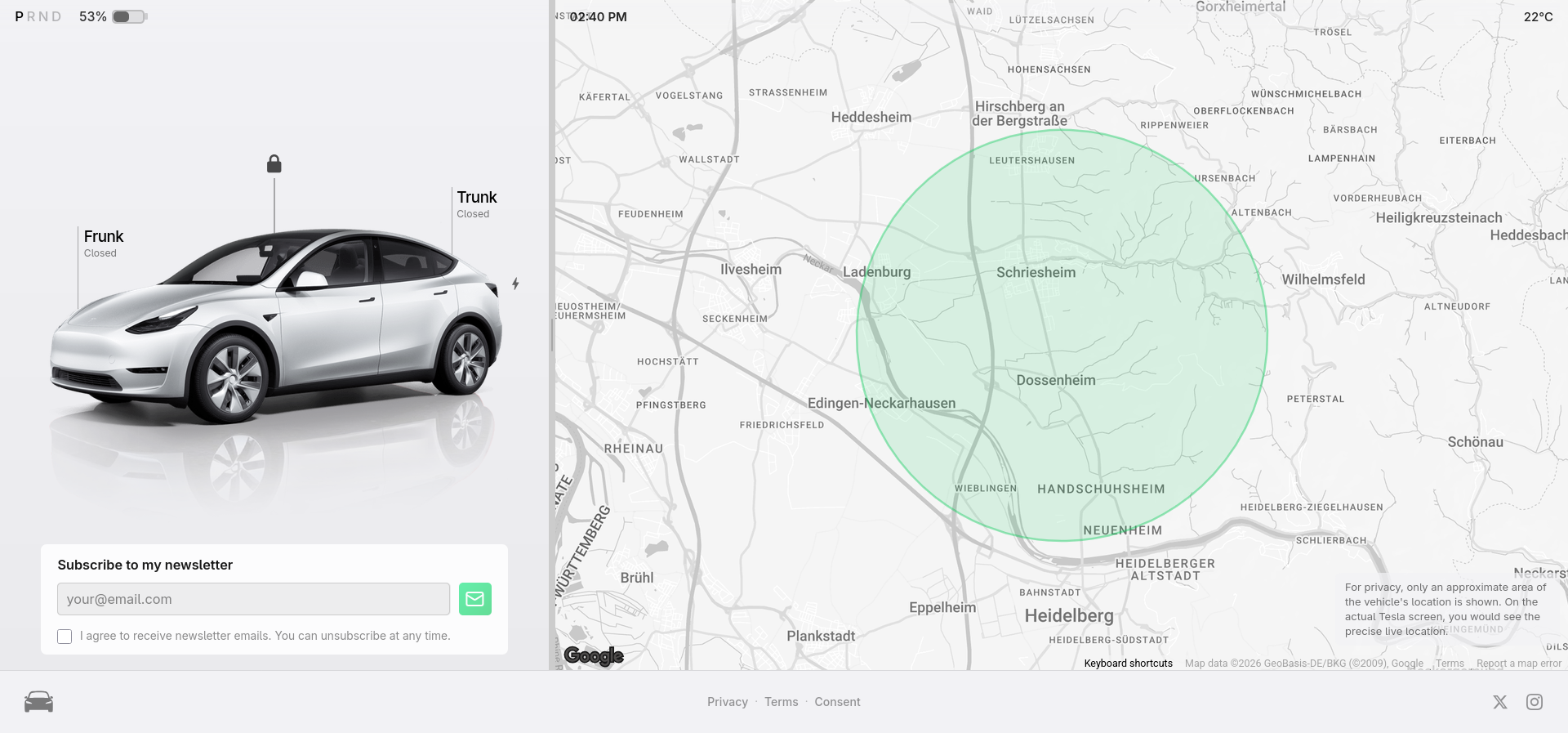
I’ve also developed a webapp that reflects the amazing car user interface any Tesla driver could use and this shows others how they work with. The UI shows actual car indicators like door lock/unlock or charging status, as well as parking and driving state with a small animation. I’ve been trying to implement flexible UX and UI for regular users to get familiar with this interface feel working with the actual car data. It communicates through a WebSocket to the frontend UI, and I’m using X API to make this flow more fun. My Model Y itself posts its state and driving situations to the X platform it’s like it’s a kind of content creator :) Maybe later, I’ll write a post about working with X (former Twitter) API.
What I can say so far is that the car itself is only part of the experience. The real value has come from building my own tools around it. Having a bot that can answer questions about my driving and charging, combined with local analysis through a language model, has made the car feel more like something I actively manage rather than just something I drive.
It’s not always smooth; the official API can be inconsistent at times, and working with local models still requires some technical effort. But overall, treating the Model Y as a connected device that I can work with on my own terms has been one of the more rewarding parts of owning it.